
How to Visualize JSON in Python: Graphs, Trees & Code
Convert complex JSON dictionaries and lists into visual network graphs using Python scripts, or inspect them instantaneously in your browser.
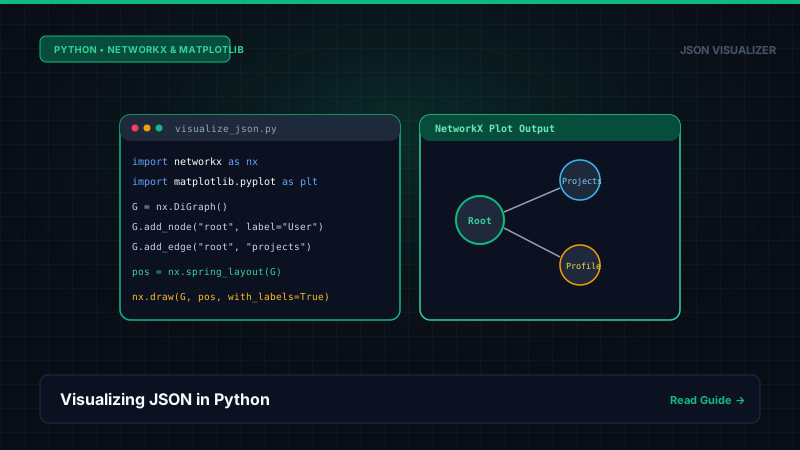
1. Programmatic Graph Visualization with NetworkX & Matplotlib
To generate an offline node graph from a JSON file in Python, you can recursively traverse the dictionary and build a directed graph (nx.DiGraph):
import json
import networkx as nx
import matplotlib.pyplot as plt

def build_graph(data, graph=None, parent=None, key="root"):
    if graph is None:
        graph = nx.DiGraph()
    node_id = f"{parent}.{key}" if parent else key
    graph.add_node(node_id, label=str(key))
    if parent:
        graph.add_edge(parent, node_id)

    if isinstance(data, dict):
        for k, v in data.items():
            build_graph(v, graph, node_id, k)
    elif isinstance(data, list):
        for i, item in enumerate(data):
            build_graph(item, graph, node_id, f"[{i}]")
    return graph

# Load and plot
with open("data.json") as f:
    payload = json.load(f)
G = build_graph(payload)
pos = nx.spring_layout(G)
nx.draw(G, pos, with_labels=True, node_color="#38bdf8", font_size=8)
plt.savefig("json_graph.png", dpi=300)
2. When to Use Python vs. an In-Browser Visualizer
Use Python When:
- Batch processing hundreds of JSON files in a data pipeline.
- Performing programmatic network analysis (e.g., centrality, clustering).
- Running headless inside a Jupyter Notebook or CI environment.
Use Browser Visualizer When:
- Debugging API responses interactively with pan, zoom & drag.
- Needing instant collapsible tree views without writing code.
- Copying exact RFC 6901 pointers for integration tests.
Frequently Asked Questions
Q: How do I visualize a JSON file in Python?
You can visualize JSON in Python programmatically by parsing it with the standard 'json' module and recursively constructing a directed graph using 'networkx' and 'matplotlib'. Alternatively, for fast, zero-install inspection without writing boilerplate plotting code, paste your JSON into our browser-based visualizer.
Q: Can pandas visualize nested JSON data?
Yes; pandas provides 'pandas.json_normalize()', which flattens nested JSON objects into tabular DataFrames with dot-separated column names (e.g., 'user.address.city'). However, flattening deeply nested arrays can cause row explosions and loss of hierarchical relationship clarity.
References, Specifications & Primary Citations
In accordance with our strict Editorial Research & Citation Policy, every technical assertion is substantiated by primary standards, peer-reviewed computer science literature, or verified empirical benchmarks.
- Primary Standard Official DocumentationPublisher / Org: Python Software Foundation Date: 2024
“Normative reference for parsing, serializing, and custom ObjectHook traversal in Python.”
- Official DocumentationPublisher / Org: NetworkX Developers Date: 2024
“Python package for the creation, manipulation, and study of the structure of complex networks.”
Source: https://networkx.org/
Instant JSON Visualization in Browser
Skip writing matplotlib plotting scripts. Paste your JSON to inspect 2D node graphs immediately.