
How to Debug JSON API Responses: Common Errors & Solutions
A practical guide to diagnosing cryptic SyntaxErrors, identifying silent structural scope dislocations, and inspecting complex REST API payloads.
1. The 4 Most Common JSON API Errors & How to Fix Them
Error 1 Unexpected token < in JSON at position 0
Cause: Your client expected JSON, but the endpoint returned an HTML error document (such as a 404 Not Found, 502 Bad Gateway, or Nginx error page beginning with <!DOCTYPE html>).
Solution: Always check response.ok and inspect the Content-Type header before parsing:
const res = await fetch('/api/user');
if (!res.ok) {
  const rawText = await res.text();
  console.error(`API Error (${res.status}):`, rawText);
  throw new Error(`Endpoint returned status ${res.status}`);
}
const data = await res.json();
Error 2 Trailing Commas and Single Quotes
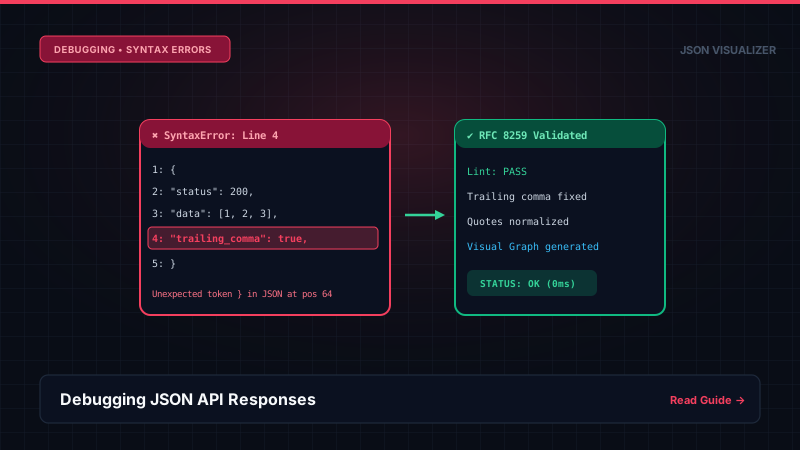
Cause: Unlike JavaScript object literals, strict RFC 8259 JSON forbids trailing commas ({ "a": 1, }) and single-quoted strings ({ 'key': 'value' }).
Solution: Run the payload through our JSON Validator to automatically replace single quotes and eliminate dangling commas.
Error 3 The "Silent Scope Trap": Structural Misalignment
Cause: The JSON is 100% syntactically valid, but an accidentally misplaced closing brace places a critical configuration key under the wrong parent object. (See our Kubernetes Case Study).
Solution: Load the payload into our 2D Node Graph. The visual layout immediately surfaces detached cards that are completely disconnected from their intended parent scopes.
2. Recommended 3-Step Debugging Pipeline
- Validate Syntax: Paste raw responses into our validator to confirm RFC 8259 compliance.
- Format & Beautify: Use 2-space indentation to visually align nested arrays.
- Inspect Spatial Graph: Open the 2D node graph to verify that child entities point to the correct parent cards.
Frequently Asked Questions
Q: Why am I getting 'SyntaxError: Unexpected token < in JSON at position 0'?
This classic error occurs when your client expects a JSON response, but the server returned HTML instead (often an uncaught 500 error page, a 404 page, or an authentication redirect starting with '<!DOCTYPE html>'). Check the response Content-Type header and inspect the raw text before calling JSON.parse().
Q: How do I find a missing comma or quote in a 1,000-line API payload?
Paste your payload into our free JSON Validator. Standard browser JSON.parse() errors often report cryptic character offsets. Our validator calculates exact line and column numbers and highlights the offending token in CodeMirror.
Q: How do I debug truncated JSON responses?
Truncated JSON happens when a server response exceeds buffer limits (e.g. Nginx proxy_buffer_size or AWS API Gateway payload limits of 10 MB). The payload abruptly cuts off mid-string without closing braces. Check response headers for Content-Length mismatches and increase upstream buffer limits.
References, Specifications & Primary Citations
In accordance with our strict Editorial Research & Citation Policy, every technical assertion is substantiated by primary standards, peer-reviewed computer science literature, or verified empirical benchmarks.
- Primary Standard SpecificationAuthor(s): Tim Bray (Ed.) Publisher / Org: Internet Engineering Task Force (IETF) Date: December 2017
“Specifies strict grammatical rules for JSON parsing, token delimiters, and character escaping.”
- Official DocumentationPublisher / Org: Mozilla Corporation Date: 2024
“Covers JSON.parse, JSON.stringify, replacer/reviver functions, and error handling.”
Debug Your API Responses Instantly
Identify syntax errors and structural misalignments with zero server tracking.