
JSONPath Examples: Query Nested JSON
A developer cheat sheet and tutorial on querying complex JSON documents using the newly standardized IETF RFC 9535 syntax, filters, and recursive selectors.
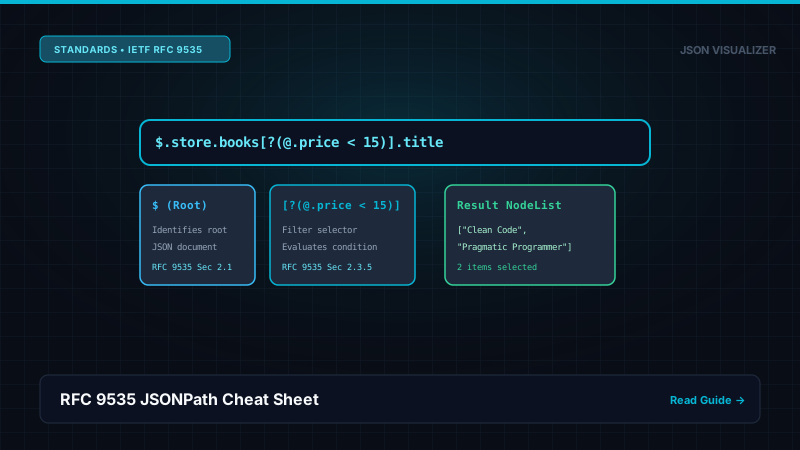
1. JSONPath Syntax Cheat Sheet (RFC 9535)
| Symbol / Operator | Name & Meaning | Example Expression |
|---|---|---|
| $ | Root object / array | $ |
| .name | Child property name | $.store.name |
| .. | Recursive descent (all subtrees) | $..author |
| * | Wildcard (all elements/properties) | $.store.book[*] |
| [start:end:step] | Array slice | $.store.book[0:2] |
| [?(<expr>)] | Filter selector expression | $..book[?(@.price < 20)] |
2. Practical Query Examples with a Sample Dataset
Consider the following bookstore telemetry payload:
{
  "store": {
    "name": "Downtown Books",
    "book": [
      { "category": "fiction", "author": "Herman Melville", "title": "Moby Dick", "price": 8.99 },
      { "category": "reference", "author": "Nigel Rees", "title": "Sayings of the Century", "price": 12.50 },
      { "category": "fiction", "author": "J. R. R. Tolkien", "title": "The Lord of the Rings", "price": 22.99 }
    ]
  }
}
Example 1: Extract All Book Titles
$.store.book[*].title
Returns: ["Moby Dick", "Sayings of the Century", "The Lord of the Rings"]
Example 2: Find All Authors at Any Depth
$..author
Recursively extracts every author value across the entire JSON tree regardless of nesting depth.
Example 3: Filter for Affordable Books
$..book[?(@.price < 15)]
Returns only the objects for "Moby Dick" and "Sayings of the Century".
Frequently Asked Questions
Q: What is JSONPath?
JSONPath is a standardized query language for JSON documents, formally defined in IETF RFC 9535 (published February 2024). Inspired by XPath for XML, it allows developers to navigate, filter, and extract specific values, arrays, and sub-trees using expressive path expressions.
Q: What is the difference between $.store.book[*] and $..book[*].author?
The expression '$.store.book[*]' uses direct child navigation, selecting all book items strictly within the 'store' object. The expression '$..book[*].author' uses recursive descent ('..'), searching the entire JSON hierarchy at any depth to find all 'author' properties located inside 'book' arrays.
Q: How do I filter objects using a condition in JSONPath?
Use the filter selector '[?(<expression>)]'. For example, '$..book[?(@.price < 15)]' filters for all book objects whose 'price' property is less than 15. The '@' symbol represents the current item being evaluated in the filter.
References, Specifications & Primary Citations
In accordance with our strict Editorial Research & Citation Policy, every technical assertion is substantiated by primary standards, peer-reviewed computer science literature, or verified empirical benchmarks.
- Primary Standard SpecificationAuthor(s): Stefan Gössner, Carsten Bormann, Tim Bray (Eds.) Publisher / Org: Internet Engineering Task Force (IETF) Date: February 2024 Version/Rev: Proposed Standard
“The official IETF standard defining normative JSONPath syntax, operators, filters, and selector functions.”
- Primary Standard SpecificationPublisher / Org: Internet Engineering Task Force (IETF) Date: December 2017
“Specifies normative JSON grammar and array/object hierarchy rules.”
Inspect Your JSON Graph & Pointers
Click any node in our free 2D graph visualizer to copy exact RFC 6901 pointers and examine data paths.