
How to Visualize JSON Data Online: Graphs, Trees & Practical Examples
Learn how to visualize JSON data by converting complex nested objects, arrays, and values into interactive 2D node graphs and collapsible trees.
How Can You Visualize JSON Data?
You can visualize JSON data by converting its nested objects, arrays, and primitive values into an interactive collapsible tree or a 2D node graph. A tree viewer displays the data as an expandable hierarchy with indentation guides, while a graph visualizer uses connected spatial cards to illustrate relationships between parent objects and their children.
This makes JSON significantly easier to inspect when troubleshooting REST API responses, microservice schemas, cloud deployment manifests, or deeply nested configuration files.
{
  "user": {
    "id": 101,
    "name": "Alex",
    "projects": [
      { "id": 1, "name": "Dashboard", "status": "active" },
      { "id": 2, "name": "API Explorer", "status": "testing" }
    ]
  }
}
Understanding the Structure
In this sample payload, the root object contains a user property. That property holds an object with an id, a name, and a projects array. Each project item is another nested object containing distinct fields.
A JSON tree viewer lets you expand each object independently. A JSON node graph displays the same parent-child structure visually, making it easier to locate nested values and follow branches of the data.
When Should You Use a JSON Graph vs. a JSON Tree?
When to Use a 2D Node Graph
- Visualizing schema architectures and entity relationships.
- Tracing multi-level dependency trees in microservices.
- Presenting data flow diagrams to team members or stakeholders.
- Detecting misplaced keys detached from parent scopes.
When to Use a Collapsible Tree
- Inspecting high-cardinality arrays containing 1,000+ items.
- Performing rapid substring or regex key/value searches.
- Copying individual primitive strings or formatting values.
- Preserving vertical scrolling on narrow screens or laptops.
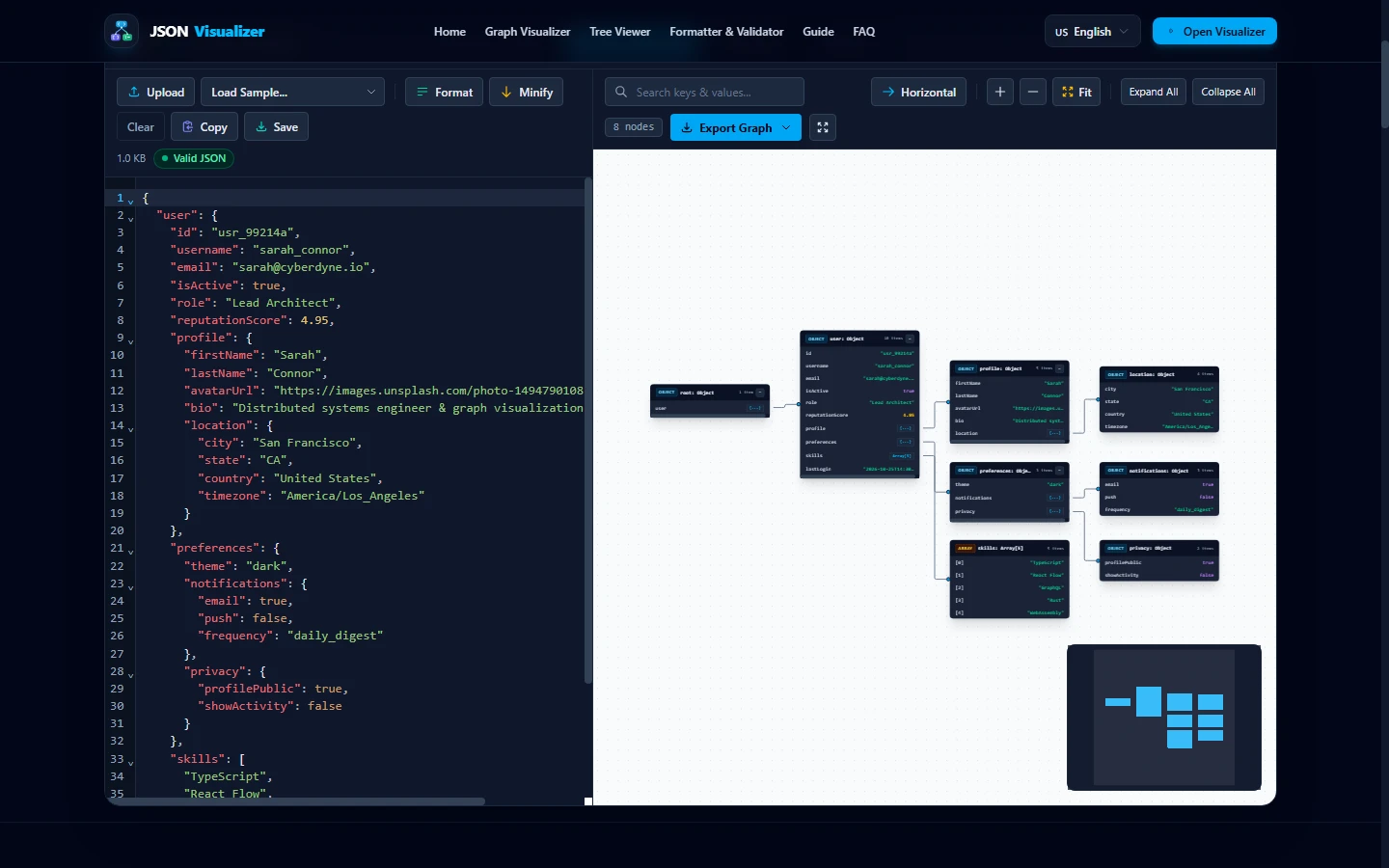
Step-by-Step: How to Visualize Your JSON Data Online
01. Paste Your Payload or Drag & Drop a .json File
Open the JSON Visualizer. Paste your raw payload into the left editor pane or drag a .json file onto the canvas. The client-side FileReader parses the file locally in your browser memory.
02. Switch Between 2D Graph, Tree, and Raw Formats
Use the top toolbar view toggles to switch between the 2D Node Graph, Collapsible Tree, and Formatted Raw JSON viewports depending on whether you need a high-level architectural diagram or line-by-line key inspection.
03. Copy RFC 6901 Pointers & Export Graphics
Click any individual node card to copy its deterministic RFC 6901 JSON Pointer (e.g., /user/projects/0/status) for automated test suites. Use the canvas controls to download high-resolution SVG or PNG diagrams for technical documentation.
Frequently Asked Questions
Q: How can I visualize JSON data online for free?
You can visualize JSON data online by pasting your payload into a browser-based JSON visualizer like our free tool. It instantly transforms raw text into an interactive 2D node graph and a collapsible tree view using local browser memory with zero server uploads.
Q: What is the difference between a JSON tree and a JSON graph?
A JSON tree arranges data in a vertical, expandable indentation list with collapsible brackets, ideal for compact line-by-line inspection. A JSON graph displays objects as discrete spatial cards connected by directional bezier arrows, ideal for understanding relational structures, microservice architectures, and multi-tier API payloads.
Q: Can I visualize invalid or malformed JSON?
No; visualization engines require valid JSON conforming to RFC 8259 to construct the Abstract Syntax Tree (AST). If your payload contains syntax errors (such as trailing commas, single quotes, or unquoted keys), format and validate it first using a JSON validator to pinpoint the exact line and column error.
Q: Is it safe to visualize sensitive production JSON in a browser?
Yes, provided the tool executes 100% on the client side. Our JSON Visualizer uses the HTML5 FileReader API and Web Workers in your browser session. Your data is never uploaded, logged, or transmitted across the network.
References, Specifications & Primary Citations
In accordance with our strict Editorial Research & Citation Policy, every technical assertion is substantiated by primary standards, peer-reviewed computer science literature, or verified empirical benchmarks.
- Primary Standard SpecificationAuthor(s): Tim Bray (Ed.) Publisher / Org: Internet Engineering Task Force (IETF) Date: December 2017 Version/Rev: Internet Standard (STD 90)
“Defines the normative syntax, value types, and serialization rules for RFC 8259 JSON documents.”
- Primary Standard SpecificationAuthor(s): Paul Bryan, Kris Zyp, Mark Nottingham Publisher / Org: Internet Engineering Task Force (IETF) Date: April 2013
“Defines the standard string syntax for identifying specific values within a JSON document.”
- Primary Standard Academic PaperAuthor(s): Kozo Sugiyama, Shojiro Tagawa, Mitsuhiko Toda Publisher / Org: IEEE Transactions on Systems, Man, and Cybernetics Date: February 1981
“Foundational four-phase layered directed acyclic graph layout framework for hierarchical visualization.”
Start Visualizing Your JSON Online
Zero signups, zero server uploads. Paste your JSON into our free interactive visualizer to inspect graphs and trees instantly.