
How to View & Format JSON in VS Code: Tips & Visual Tools
Learn how to use built-in formatting shortcuts, outline view trees, and JSON schema associations in Visual Studio Code, plus when to switch to an interactive 2D graph.
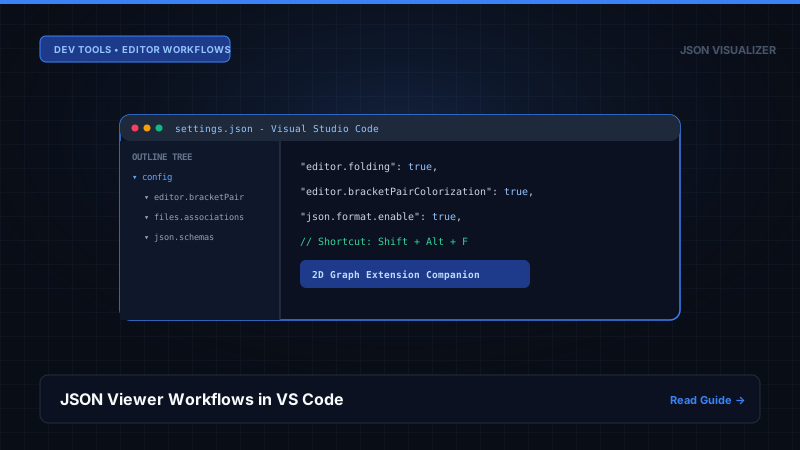
1. Native VS Code JSON Capabilities
Format Document Shortcut
Use Shift + Alt + F (Windows/Linux) or Shift + Option + F (macOS) to instantly indent and pretty-print minified JSON strings.
The Outline Sidebar (Tree View)
Open the Explorer panel and expand the Outline section at the bottom. VS Code will parse your JSON AST and display keys in an expandable tree structure for quick file jumping.
Code Folding Shortcuts
Press Ctrl + K, Ctrl + 0 to fold all levels, or Ctrl + K, Ctrl + J to unfold all levels.
2. When VS Code Isn't Enough: The Case for 2D Node Graphs
While VS Code excels at text editing, it represents data linearly. When debugging complex multi-service payloads, seeing parent-child cards laid out on a 2D spatial canvas reveals structural defects that are virtually invisible in thousands of lines of indented text.
Our free in-browser JSON Visualizer provides an ideal companion to VS Code: paste your file to inspect the 2D graph, verify connections, and copy exact RFC 6901 pointers.
Frequently Asked Questions
Q: How do I format JSON in VS Code?
Press 'Shift + Alt + F' on Windows/Linux or 'Shift + Option + F' on macOS. VS Code will automatically pretty-print and indent your JSON document using 2 or 4 spaces based on your editor settings.
Q: Does VS Code have a built-in JSON tree viewer?
VS Code includes an 'Outline' view in the File Explorer sidebar that presents an expandable tree of JSON keys. However, for large files exceeding thousands of lines, the Outline view can become sluggish, and it lacks spatial 2D graph layout capabilities.
References, Specifications & Primary Citations
In accordance with our strict Editorial Research & Citation Policy, every technical assertion is substantiated by primary standards, peer-reviewed computer science literature, or verified empirical benchmarks.
- Primary Standard Official DocumentationPublisher / Org: Microsoft Corporation Date: 2024
“Official documentation covering JSON formatting, IntelliSense, schema association, and folding.”
Need a Visual Graph Beyond VS Code?
Open our free 2D graph visualizer to explore complex JSON structures with zero installation.